
Claude Design + Claude Code: A Workflow for Content Creators
Recently I attended a hackathon at BenditaIA Community in Chile and one of the members dropped a question in a group chat that I couldn't couldn't stop trying to solve:
How do you create Instagram posts with the proper format using Claude Design?
So I tried a two-step approach:
- Use Claude Design to generate an HTML with multiple DIVs, each with a different aspect ratio
- Use Claude Code to generate a script that converts each DIV into a PNG image
Step 1 — Claude Design generates the HTML
One file, multiple aspect ratios
I jumped into Claude Design with this prompt:
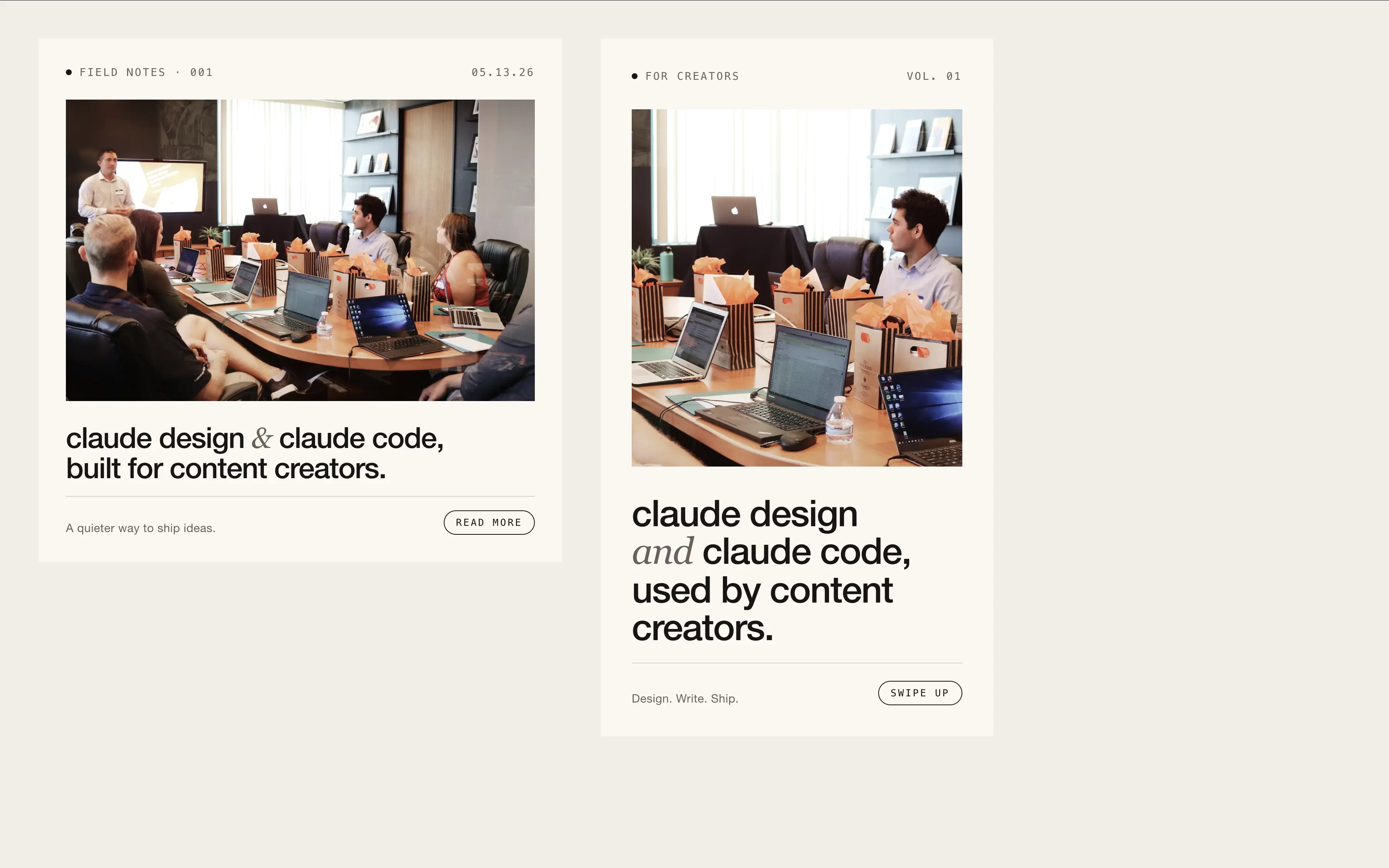
Create an html with a div that has a specific identifier for the content, which has also the dimension ratio required for an instagram post, and the same for an instagram story (2 divs with unique id each). The content for now is "claude design and claude code used for content creators". The html needs nothing else but the 2 divs with the content. Style a bit the content, use some unlicensed image using UX best practices and modern minimalist style
Here's what it gave me back:
Step 2 — Claude Code writes the screenshot script
Over to Claude Code, with this prompt:
using playwright, create a script that takes a screenshot only to the DIVs #instagram-post and #instagram-story so that I can maintain their aspect ratios. Use as an example how Social.html will come as input. Then give me the instructions to run this script
And Claude Code delivered:
  Read 1 file (ctrl+o to expand)

⏺ Write(screenshot.js)
  ⎿  Wrote 43 lines to screenshot.js
       2 const path = require('path');'playwright');
       3 const fs = require('fs');
       4
       5 const INPUT = process.argv[2] || 'Social.html';
       6 const SCALE = Number(process.argv[3] || 2); // deviceScaleFactor for sharper outp
         ut
       7
       8 (async () => {
       9   const absPath = path.resolve(INPUT);
      10   if (!fs.existsSync(absPath)) {
     … +37 lines (ctrl+o to expand)

⏺ Script written. Run instructions:

  cd /Users/quantumentangled/Documents/social_posts

  # one-time install
  npm init -y
  npm install playwright
  npx playwright install chromium

  # run (defaults: Social.html, 2x scale)
  node screenshot.js

  # or specify input + scale
  node screenshot.js Social.html 2
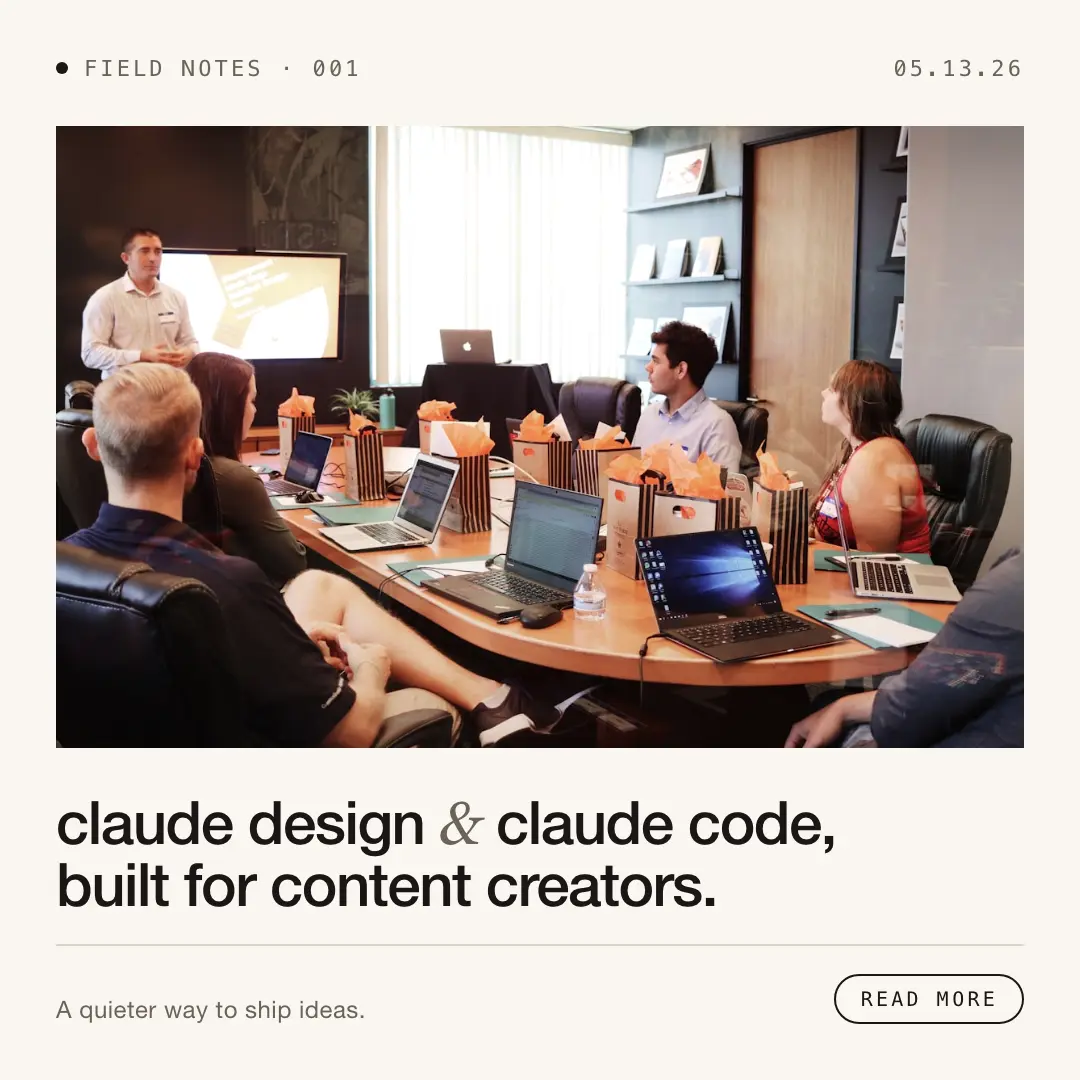
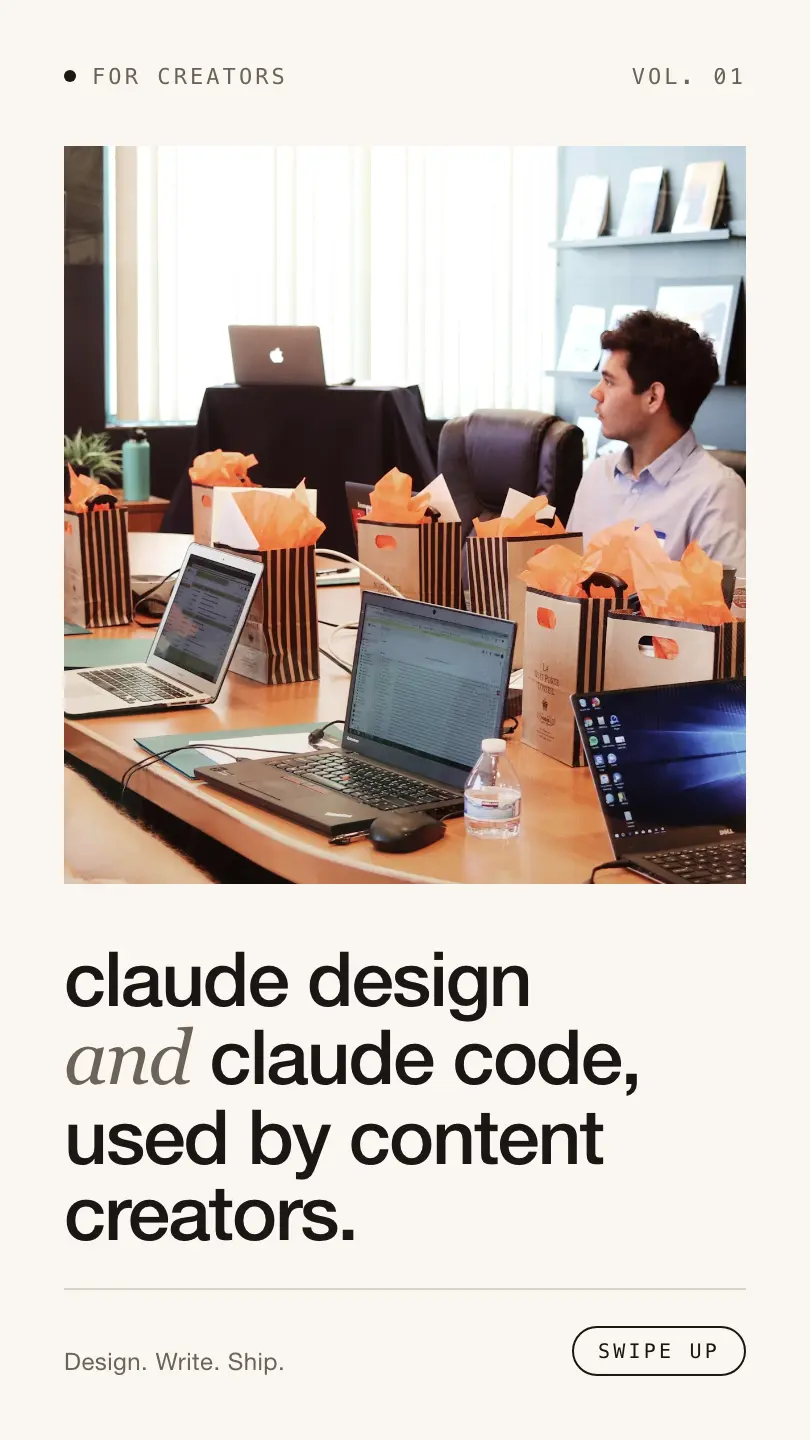
After following the instructions (making sure Social.html from Claude Design was sitting in the same CWD), I got back my properly sized images, ready for Instagram Posts and Stories:
Post aspect ratio:
Story aspect ratio:
Conclusion
Now I have a script I can reuse every time I create something in Claude Design.
Is this the only way to do it? Definitely not. But the upsides are hard to ignore:
- Fewer tokens spent per piece of content, since the HTML holds every aspect ratio in one place. CSS and HTML tags get reused for free.
- Claude Design doesn't spend much on other Artifacts.
- Content across formats stays visually consistent, with hardly any drift between aspect ratios.
- One prompt does it all, thus we save on chat interactions if instructions are clear for each aspect ratio.